Greetings, Devil Dog! Welcome to the Call of Duty Forums. It looks like you're looking forward to Call of Duty: Modern Warfare 4, but haven't created an account yet. Why not take a minute to
 Thunderbird696
Recruit
Hi there,
The PS4 was given to me 3 months ago ... so I'm still a newbie.
The 23530 GXT 488 Forze headset from Trust hangs on my PS4.
I play Call of Duty Black Ops Cold War Season Six.
The headset is connected to the controller.
If I connect the headset, the message appears:
"Microphone switched to the headset connected to the controller"
If I pull the plug out of the headset again, the following appears:
"No microphone available"
In the beginning, the headset worked perfectly.
Addition: The microphone is recognized in the settings menu of the PS4 and I can also change the level!
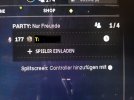
A few days ago I noticed that in the game in front of my game name, the microphone symbol was crossed out with red.
Normally the symbol with the 2 heads or loudspeakers should be seen there.
I can still hear everything through the headset, including the other players, but they can no longer hear me.
I restarted the PS4 and already reinstalled the game ... no change!
Does anyone have any idea where the problem could be and how I can reactivate the microphone ?????
Is there an instruction manual for the game?
Greetings from Germany
Heinz
The PS4 was given to me 3 months ago ... so I'm still a newbie.
The 23530 GXT 488 Forze headset from Trust hangs on my PS4.
I play Call of Duty Black Ops Cold War Season Six.
The headset is connected to the controller.
If I connect the headset, the message appears:
"Microphone switched to the headset connected to the controller"
If I pull the plug out of the headset again, the following appears:
"No microphone available"
In the beginning, the headset worked perfectly.
Addition: The microphone is recognized in the settings menu of the PS4 and I can also change the level!
A few days ago I noticed that in the game in front of my game name, the microphone symbol was crossed out with red.
Normally the symbol with the 2 heads or loudspeakers should be seen there.
I can still hear everything through the headset, including the other players, but they can no longer hear me.
I restarted the PS4 and already reinstalled the game ... no change!
Does anyone have any idea where the problem could be and how I can reactivate the microphone ?????
Is there an instruction manual for the game?
Greetings from Germany
Heinz