• Greetings, Devil Dog! Welcome to the Call of Duty Forums. It looks like you're looking forward to Call of Duty: Modern Warfare 4, but haven't created an account yet. Why not take a minute to register for your own free account now? As a member you get free access to all of our forums and posts plus the ability to post your own messages, communicate directly with other members and much more.

FPS DROP TO 30 FPS

lifad86

Recruit
idk in my gameplay every 7 seconds i got my fps drop to 30 fps for 5 seconds idk whats problem i already ensure my driver updated
my vga rtx 2080
i7 9750h
ram 24gb
can someone help i play in gx531gxr zephyrus rog laptop with plugged in battery and full battery
 
Check that you don't have V-Sync enabled in your settings, your gaming laptop should be plugged in whilst you're gaming, and ensure you have adequate space around the laptop for cooling.
 
vsync and ray tracing all disabled and i set all graphic to low end and i always play with plugged in laptop
my gpu 70-78 temp its normal right?

it still fps drop to 30-47
 
Ok, we have checked the most obvious and easiest places to look first, so we need to check other things, such as what else is running on your laptop that might call on the processor while you're gaming? (I don't think this is the issue, but it makes sense to eliminate all those silly things that we tend to overlook first).

Have you set or checked your Power Plan settings?

Have you monitored and recorded your CPU/GPU temps, CPU/GPU speeds while you're playing?

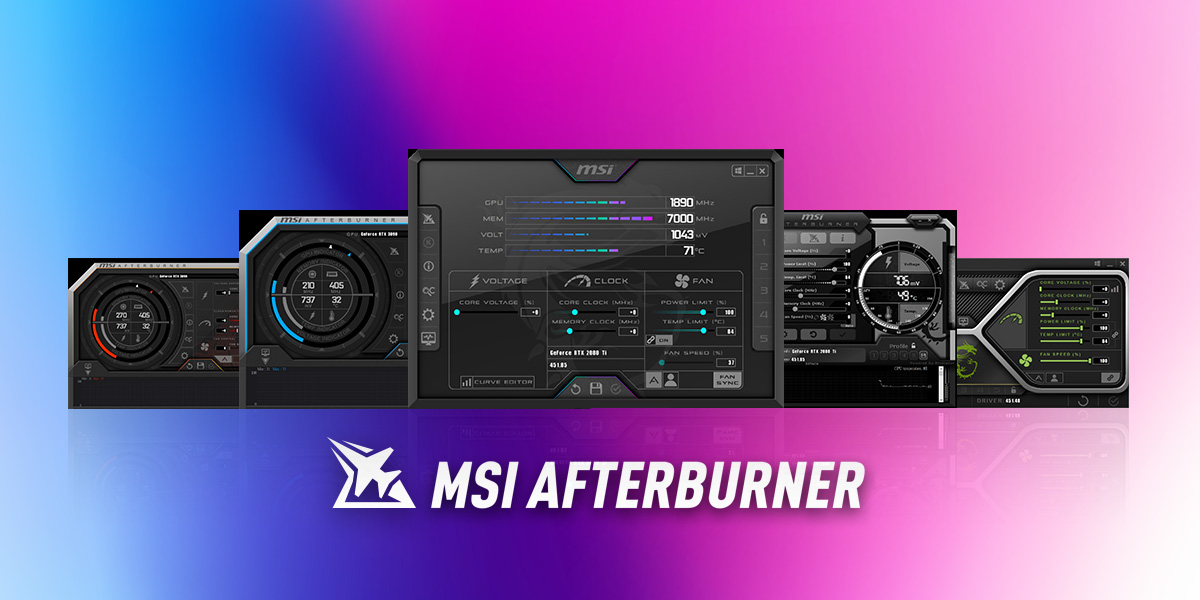
I don't think it is a temperature issue, but using a tool like MSi Afterburner you will see what the GPU/CPU temps are on an overlay on the screen and you will see what the clock speeds are running at, if temps are high and speeds are low then that infers temperature throttling. But as you have said, your temps are at a steady 70-78 degrees.

For reference, an RTX2080 on a mobile platform should have a base clock of around 1380mhz, and a boost of 1590mhz with memory running at 1500mhz. Your 9750h should be running at 2.60GHz and boost to 4.50GHz with idle temperatures running between 45-50 degrees in a room at around 20 degrees and a maximum temperature under load of 100 degrees.

If your temps are good and your speeds are low then that suggests power draw issues, power is either being limited by windows or limited in the settings, which is what I suggested you look at above.

I think you could look into under volting your CPU, I am not going to tell you how to do it, I don't know how, but have heard people have been getting great results from trying this form of reverse overclocking, by reducing power draw, you are technically limiting performance and yet somehow due to lower thermals the processor runs better. Who knew? right?

If you can, record yourself playing the game for a few minutes with Afterburner running and showing CPU temps, speeds and I think you can get it to report on limit warnings as well, I haven't used it in a long time, but might have to play around with it now, as another user on here has been using for feedback on his new build and it is a lot better than I remember it being.
 
I had a similar problem when the season 2 update came out. For some reason that update made Windows start to changing the priority of MW back and forth between low and high priority and it basically made the game unplayable.

I downloaded a program called ProcessLasso, and used that to lock the priority of the Modern Warfare.exe.
 
oh i just checked its because of it temperature when i start my gameplay the temp increase to 77+ degrees
why cod makes my pc temp increase so big?

i mean laptop.... this is new fresh laptop i only used it for 1 month

when the temp reach 79 degrees it starts the fps drop

and how to fix it btw?
 
Use msi afterburner and either set a max temp or make a custom fan curve (or just put the fans at a set % that is somewhat high)

Sounds weird that 77 degrees would cause problems though. My card usually at arounf 84 degrees when I Play MW and that doesn't cause any issues
 
79 degrees is within normal operating range, that's not the reason.

MSi Afterburner is the software to use to help identify the issue.

Sent from my CLT-L09 using Tapatalk
 
yea but when the gpu temp is 79 degrees it starts the fps drop idk why, then what should i do with this msi afterburner?
 
yea but when the gpu temp is 79 degrees it starts the fps drop idk why, then what should i do with this msi afterburner?
Start by searching for it, then download and install it.

Once it's installed we can progress to using it as a diagnostics tool, afterburner can capture so many different metrics, I've listed the most important measurements above.

Just to check, on a scale of 1 to 10 with 10 being Expert and 1 for can get the PC started and run Chrome and Office. How would you rate your technical knowledge?

Knowing the answer to the question above will help prevent us from making the wrong assumptions about what you do and don't understand.

Sent from my CLT-L09 using Tapatalk
 

heres a link to post about fps and afterburner which is msi software theres a youtube video there you can see how afterburner can be put on screen and you can monitor while playing, i have cpu gpu mem clock all being displayed while im playing modern warfare.

 
Last edited by a moderator:
Ok, that's good, so around an average level.

This is a good guide to setting up Afterburner:

I would suggest setting Afterburner up to monitor:
  • CPU Usage
  • CPU Clock
  • CPU Temperature
  • GPU Usage
  • GPU Clock
  • GPU Temperature
  • Framerate
As we know what speed the CPU and GPU should be running at, we can see if the issue is with your CPU or GPU being throttled when your frame rates drop, and by looking at temperatures we can see if this is the reason for the frame rates dropping.

If you can record gameplay and upload that to YouTube so we can see these then it would help us get to understand what the issue could be, once we know why it's happening we can start dealing with how to stop it.

Sorry, GPU Clock might show as Core Clock.

I did mention setting your power plan settings, make sure that your laptop runs in performance mode when it is plugged in, also your laptop has 2 graphics cards, I can't remember how to set it, but you should be able to set your discrete graphics card as the card you use when the laptop is plugged in and then your integrated graphics for when you are running on your battery.
 
Last edited by a moderator:
I had a very similar issue .... it was whenever I shot in game my FPS would drop by half, gave the computer a reboot and it went away!
 
I had a similar problem when the season 2 update came out. For some reason that update made Windows start to changing the priority of MW back and forth between low and high priority and it basically made the game unplayable.

I downloaded a program called ProcessLasso, and used that to lock the priority of the Modern Warfare.exe.
How do you set it up?
 

Like CODForums!

Advertisements

Back
Top