
• Greetings, Devil Dog! Welcome to the Call of Duty Forums. It looks like you're looking forward to Call of Duty: Modern Warfare 4, but haven't created an account yet. Why not take a minute to register for your own free account now? As a member you get free access to all of our forums and posts plus the ability to post your own messages, communicate directly with other members and much more.

resolution and refresh rate

do you use nvida experience for your settings or use itr at all.
I used to, but have found some of the videos that cover best settings for performance have helped me squeeze a few more FPS out of games i play.

Auto settings with a few tweaks works well too.
 
 
Hardware Unboxed were unimpressed by this model, they have reviewed it, take a look at what they say and decide based on that.
 
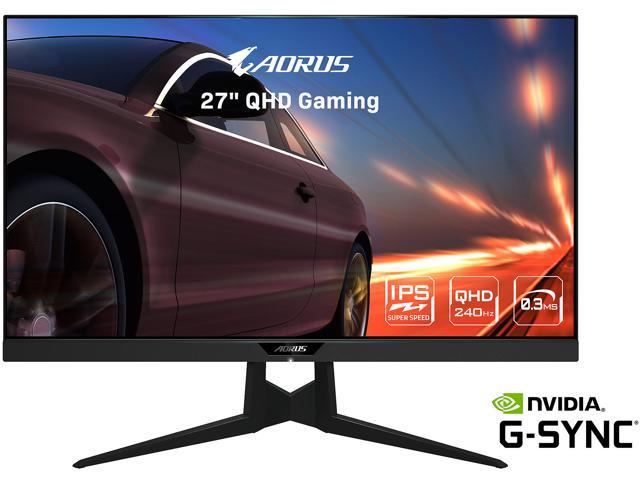
well the 144 hz would show 144, msi afterburner always shows up to 215 and goes up and down and from my understading anything over 144 i wouldnt see so with new 240 hz from my understanding is im seeing all the frames up to 240 and i have seen it go up to 240 and i will post some videos soon.i do see a slight improvement in reaction time and it is easier on my eyes and while playing the fact its a 24 does not even bother me.

View: https://www.youtube.com/watch?v=Mc8J2mn_KIU


View: https://www.youtube.com/watch?v=qdiThEeJ6RE

ill post some more with the frame rate that monitor shows soon
 
In your game settings you can turn on an fps counter that displays in the top left of the screen, and that overlay lets you pick various different aspects of your PCs performance, from rates to CPU + GPU render times.

Turn this on and capture with the render times for CPU and GPU showing like I have done in this video:
In the video you can see that my CPU and GPU render times are not always exactly matched but they are remarkably similar, and both are fluctuating between 5-6ms, if there was a bigger gap between the CPU and GPU render times, let's say that the GPU was rendering at 6ms and the CPU at 12ms, then it would indicate that the GPU is being held up by the CPU and vice versa.

I suspect that a Ryzen 5 3600 paired with an RTX 2080 Ti might be prone to being CPU bottlenecked at 1080p but not at higher resolutions as these would take longer for the GPU to process, but right now my theory is just theory, I don't have any real data to back this up.
 
I just had a quick look at the video on my phone, as far as I can see both CPU and GPU were running single digit frame times, but I couldn't see what that read as on my phone.

I'm going out at the moment, I'll check on my PC later tonight.

There doesn't seem to be a way to increase the size of the readout, which sucks.
 
Oh, so there is a small amount of CPU bottlenecking, in theory moving up to a Ryzen 7 5800 would increase your frame rates, but even if both CPU and GPU were running at the same frame render times, I don't think you would see a massive jump unless you dropped the settings to medium or low.

Check out these estimated results from GPU Check.
 
Visually it all looks impressive, your frame rates look lower, have you got RTX on in this?

It's a taste thing, I prefer to reduce visual quality and run with a higher frame rate, you have a monitor that can push 240hz but you're only running it at an average of 90fps, if I had that set up I would be looking at trying to max my fps to get the most out of that display.
 
I was under the impression that your frame rates had dropped due to additional latency resulting from the distance, but in performance settings you're getting as good as you had before.

Here are the theoretical max frame rates from Cold War on a Ryzen 5900X plus RTX 2080Ti, I don't think that takes into account any software frame rate limits though, so your milage may vary.
 
after alot of reading and opinions from the evga community telling me the r5 5600x with the 2080ti will push my fps and keep it more steady and it is at $299 us right now. the r9 5900x is just too much money for its performance gain and the r7 5800x is comparable but i hear it can run hot. this video shows r5 5600x in cold war and the fps is so steady its hard to believe so believe i going to get but wanted to know your opinion after seeing video.

View: https://www.youtube.com/watch?v=7Eo76VEfCkc


pay attention to dlss changes
 
That's a good video, I like how he shows sets of DLSS Quality then Performance at the same resolution through a range of different resolutions.

The video has more to do with DLSS than it has to do with the CPU though, try it for yourself by running your setup at the same DLSS Performance settings, copying his setup exactly for game resolution as shown at the start.

I think you would get results that are within 5% of the 5600X numbers, so at a maximum frame rate of 230fps on the 5600X that would mean you should be getting a high of around 207fps. For the 1% lows I would expect the 3600 to fall closely behind the 5600X with between a 5-10fps difference.

I really need to investigate DLSS, since we are now on DLSS 2.0 and there is a lot more data for the deep learning algorithm so it should get much better results than it was getting when DLSS first launched.

I didn't notice any DLSS related quality issues on this video, the early DLSS videos were full of noticeable artifact issues
 
Well, DLSS doesn't make your graphics necessarily "native." It only takes the work of outputting resolution(s) and rendering in that resolution away from the GPU/CPU/Graphics Cards.

Most of the time, the Graphics Card or GPU handles the output of resolution. Right now, most games are moving towards 4k. To put native 4k using hardware at this point is something a very powerful graphics card can handle, but most graphics cards are extremely expensive... like $1,000 expensive. So, Nivida, and AMD looked for ways to offload graphics output, so they came up with graphics code to output checkerboard 4k.

Most graphics cards on the market today have some form of DLSS. But we are getting to the point of having mainstream DLSS. It's not present in Next Gen consoles, but they're working on it, hell... PS5 doesn't ship with VRR, and other HDMI 2.0 specs. They said they'd patch it in.

Here's a video about something else, but encapsulates what's up...

View: https://www.youtube.com/watch?v=UGiUQVKo3yY
 
Thanks @Carlos,

I know the theory, how DLSS uses deep learning to allow the GPU to render at a lower resolution and then using post processing it can upscale to a higher resolution. Deep learning uses records from a massive databases, so one of the biggest issues with DLSS 1.0 was lack of data. DLSS 2.0 has had time for the datasets to evolve as well as time for the algorithms to be evolved, hence the quality and overall performance improvements.

I just haven't really looked into using it, so I was talking more about investigating how it works and trying it out for myself.
 

Like CODForums!

Advertisements

Back
Top