Dell finally got off its ass and have shipped my new monitor!!!
It is the G3223Q 4K monitor.
Klik here to see the details
It is the G3223Q 4K monitor.
Klik here to see the details
Follow along with the video below to see how to install our site as a web app on your home screen.
Note: This feature may not be available in some browsers.

 Greetings, Devil Dog! Welcome to the Call of Duty Forums. It looks like you're looking forward to Call of Duty: Black Ops 6, but haven't created an account yet. Why not take a minute to register for your own free account now? As a member you get free access to all of our forums and posts plus the ability to post your own messages, communicate directly with other members and much more.


I prefer a more reasonable 27" size and 1440p monitor to 4k, I am planning on getting one of these.
I don't have a PC setup .. yet.. someday
but I game on a 65 inch 4k tv I image when I do go PC I will do something like a 27 inch to 30 inch range for my desk.
WAY back in the day I used a 32 inch 720p TV LOL I had to turn my head to see each side of the screen and it took up pretty much the whole desk across it. Sigh those were the Everquest days...


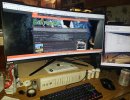
It's not just the space on the desk that you need to think about, it's the distance between the monitor and the user, viewing distances should be 1.5x the diagonal, so a 27"/28" monitor should be about 42" away, I can manage that, I can't manage 48" video distance from desk to the monitor.32's do take up a lot of desktop space but I have room to make it work!!
Something I got to thinking, With my Company, we purchase like 15 -30 Pc's from them every year and it always amazed us because the Pc's would hit our place the same day we got notice from Dell that they were shipped. LOL.. I doubt thats the case now however.Dell finally got off its ass and have shipped my new monitor!!!
It is the G3223Q 4K monitor.
Klik here to see the details
Damn how old is that APC unit?
Did you service the battery on it? or is it old and just still kicking?
It's empty.. Just serves as a monitor stand..

| Size/Resolution | Distance Recommendation |
|---|---|
| 24"/1080p | 3.2 ft |
| 24"/1440p QHD | 2.3 to 3.2 ft |
| 27"/1080p | 3.4 to 3.6 ft |
| 27"/1440p QHD | 2.6 to 3.6 ft |
| 27"/4K | 1.7 to 3.6 ft |
| 32"/1440p QHD | 3.2 to 4.3 ft |
| 32"/4K | 2 to 4.3 ft |

The Front Porch..

Good to know my image does stretch on your monitor. Cool!When I got my 30" Curved I had to set it up on my UPS to get the screen at eye level where I needed it..
View attachment 2441


