
KeyboardDemon
PC Gamer: Nearly Dangerous
Check out this video too, I haven't watched it yet, but it might help you.
View: https://youtu.be/HZwP4GNtaS0
Follow along with the video below to see how to install our site as a web app on your home screen.
Note: This feature may not be available in some browsers.

 Greetings, Devil Dog! Welcome to the Call of Duty Forums. It looks like you're looking forward to Call of Duty: Modern Warfare 4, but haven't created an account yet. Why not take a minute to register for your own free account now? As a member you get free access to all of our forums and posts plus the ability to post your own messages, communicate directly with other members and much more.

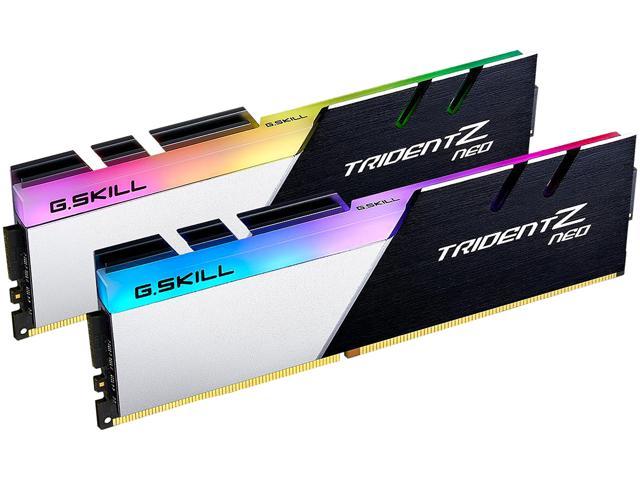
It comes tried and tested so I'm sure it will work flawlessly, you might even see a small uplift in your FPS, not a massive amount but still every increase counts, right?been looking at this and evga member uses it and recommended it so i just ordered it and that it will be fine in my board and cpu will love it.
G.SKILL Trident Z Neo (For AMD Ryzen) Series 32GB (2 x 16GB) 288-Pin RGB DDR4 SDRAM DDR4 3600 (PC4 28800) Desktop Memory Model F4-3600C18D-32GTZN - Newegg.com
Buy G.SKILL Trident Z Neo (For AMD Ryzen) Series 32GB (2 x 16GB) 288-Pin RGB DDR4 SDRAM DDR4 3600 (PC4 28800) Desktop Memory Model F4-3600C18D-32GTZN with fast shipping and top-rated customer service. Once you know, you Newegg!www.newegg.com
I just watched this, it is a great looking build, but I felt bad about how it turned out in the end!If I could just throw a recommendation here... Bitwit. BITWIT. Bitwit.
View: https://www.youtube.com/watch?v=Kjpw2eDZans

I chose it because its a sneak peek into how his videos are. He does a lot of computer builds, and especially how RAM is done. Sometimes he tells you to input RAM in a pattern or in twos, or fill up all slots.I just watched this, it is a great looking build, but I felt bad about how it turned out in the end!
As long as you know what you're doing, like keeping the computer insulated and cool. Only overclock when necessary according to bitwit.lol i fixated with fps and i like seeing the gpu performance % up.
It must have been a flash sale in that case. I was hoping it was a sign that prices would be coming down.it was showing 144 bucks and now back up to 178 and if i was to change motherboards i would have 2nd pc minus graphics card. i have a nzxt 510 case a ryzen r5 3600 16 gigs of gskill ripjaw ram the msi mobo and the coolermaster blk 212 air cooler and i could use the seagate 1 tb hybrid drive. i would like to know if running the rgb off motherboard would be better then using nzxt cam like i am now and the cam shows liquid temp. just more i can look into.
Noice.yeah we,ll see. my new ram will be here tomorrow
How much is the Pro Carbon?I'm thinking real hard on that MSI b550 pro carbon
I'm on vacation next week plenty of time to relax and make the switch and put the second one together except for a graphics card
Well, if it were me, I would be testing and comparing 16GB vs 32GB running at 3200 speeds, because it is there, it's an opportunity to learn and understand how your PC works. Common wisdom has always been more sticks = lower performance, so 2x16GB is better than 4x8GB, but this has been proved wrong in various videos by Gamers Nexus, Jayz2Cents, and Hardware Unboxed.Well I got the 16 gigs being delivered tomorrow and that'll probably be enough I'm not in a big hurry to do anything after that done enough
Just as I did with the RAM, I am going to refer you to Hardware Unboxed, they recently put out a video where they compared entry level mobos to top tier models using the same chipset and their findings were that they saw significant differences in Intel mobos but not in AMD mobos. You should not expect to see a big improvement in performance by moving from your $100 mobo to a $220 mobo.Check the carbon was like 219 I was reading reviews and someone said that they're 5900x runs really good temperatures so does the b550 motherboards and above have better cooling with the CPUs do you know


