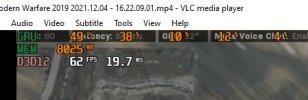
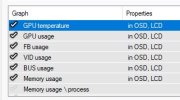
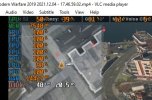
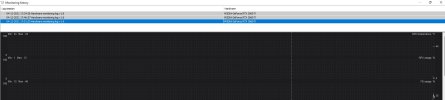
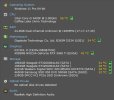
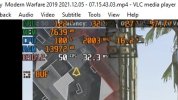
OK I added some more DATA to Afterburner...
View attachment 1889
It's TV time.. I'll be back on about 0400 EST in the morning..
Thanx for all the help..

Too much data, just look at overall package for CPU useage, not individual cores/threads, to see if your CPU or GPU are bottlenecked.
What program did you use for that???
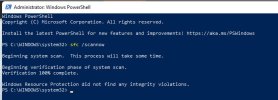
You can use the System File Checker tool to repair missing or corrupted system files in Windows, I think it came in with Windows 8/8.1, you need an elevated command prompt to run it.
Step 1 - Click Start and type CMD
Step 2 - In the search results right click "Command Prompt" and select Run as Administrator
Step 3 - at the prompt in the command window type:
sfc /scannow
It should only take a few moments, so you can play a short game on your mobile phone. I usually run it twice, as on the second run it should report that no errors were found.
Attached is a down and dirty log of the pre-game...
You'll need to open it with AfterBurner...
Rename the extension to .hml
Sorry, but all I see is a blank screen when I try to open that file, it launches afterburner, but the window that comes up has a black screen.
In my opinion, the following are important:
GPU usage, temps and clock speeds - If temps are high and clocks are low, you have thermal issues, if temps are low and clocks are low you have a potential CPU issue or software issue, if all stats are high (but not too high for temps) then that would suggest your GPU is working as you want it to.
CPU usage, temps and clock speeds - so you can see if your CPU is producing enough data for your GPU to draw and keep you in the game, right?
MSI Afterburner can monitor every aspect of your system when it is running in a DirectX mode, it has an incredible amount of granularity that will allow you to monitor every possible variable from temps, clock speeds, memory use, to GPU memory voltages, fans speeds, and overall power draw/limits and so much more, most of which I have no idea about and no interest in learning about.
You need to be clear on what information is important to you, then plan how you want that presented, that's the hardest part about using MSI Afterburner.
I would suggest

 Greetings, Devil Dog! Welcome to the Call of Duty Forums. It looks like you're looking forward to Call of Duty: Modern Warfare 4, but haven't created an account yet. Why not take a minute to